
UAE Wii
More actions
| UAE Wii | |
|---|---|
 | |
| General | |
| Author | Simon Kagstrom, Oibaf |
| Type | Computer |
| Version | 12 |
| License | GPL-2.0 |
| Last Updated | 2015/07/01 |
| Links | |
| Download | |
| Website | |
| Source | |
This is a port of UAE to Nintendo Wii which enables Amiga games to be played on the Nintendo Wii.
It is based on the source code of E-UAE and uses uses SDL Wii. The initial port was made by Simon Kagstrom. From release 5.1 the project is carried out by Fabio Olimpieri (Oibaf).
Installation
Untar the binary release on your SD card, which gives you a structure as follows:
- uae/
- uae/uaerc
- uae/floppies/
- uae/roms/
- uae/harddisks/
- uae/HD/
- uae/saves/
- apps/uae/
- apps/uae/boot.dol
- apps/uae/...
How to setup:
- Amiga kickstart images go into /uae/roms/, with the default name from uaerc being kick.rom.
- Thereafter put your floppy images in /uae/floppies/ and you are set to go. The first filename character should not be "[" .
- You can also load the images from usb HD or from computer with a wi-fi connection through SMB protocol.
- In the last case, you should configure uaerc.smb file and select the option in the option menu.
See the tinysmb page for additional information and troubleshooting.
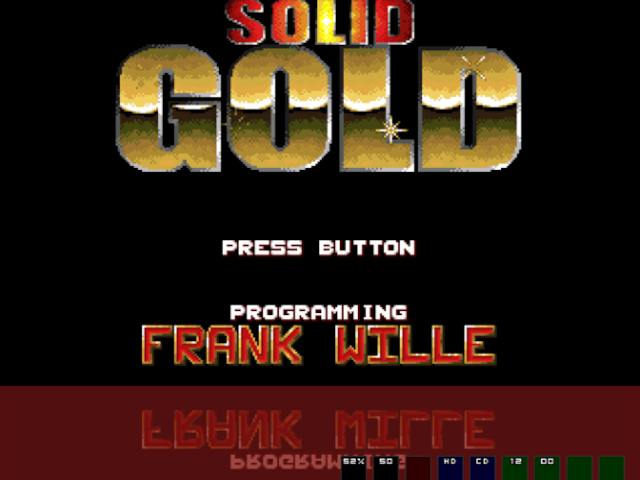
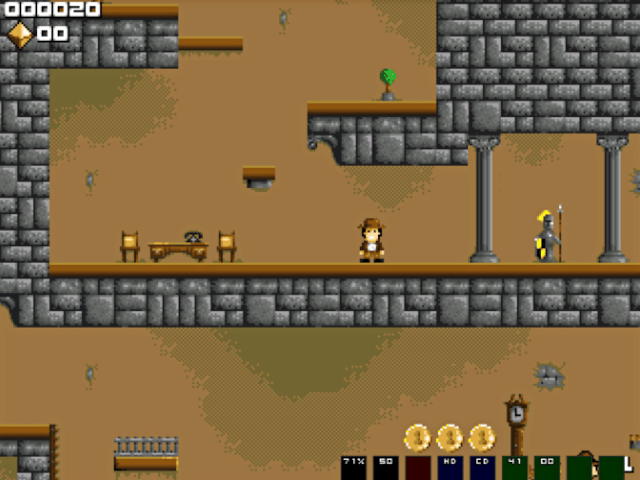
UAE Wii comes with 3 freeware games: Sqrxz, Sqrxz2, Solid-Gold. Set "correct aspect ratio" to 100% to better play them.
If you don't like to mess around with the installation, you can use the RunningSnakes's UAE-Wii Tiny Launcher! It's the easiest and the best way to have fun with lots of Amiga games on your Wii. Plus you don't need to switch disks.
User guide
Where to get Amiga kickstart roms
The easiest way to legally get a set of Amiga kickstart roms (and games) is to buy the Amiga forever CD from Cloanto. To use this with UAE-Wii, perform the following steps on your host computer:
- Copy everything from the /Amiga Files/Shared/adf/ directory on your Amiga Forever CD to /uae/roms/ on your SD card.
- Copy /Amiga Files/Shared/rom/amiga-os-130.rom to /uae/roms/kick.rom on your SD card.
- Copy /Amiga Files/Shared/rom/amiga-os-xx.rom to /uae/roms/kickxx.rom on your SD card following this mapping:
- uae/roms/amiga-os-120.rom to /uae/roms/kick12.rom
- uae/roms/amiga-os-130.rom to /uae/roms/kick13.rom
- uae/roms/amiga-os-205.rom to /uae/roms/kick205.rom
- uae/roms/amiga-os-310.rom to /uae/roms/kick31.rom
Note that amiga-os-130.rom must be copied twice.
If you have upgraded from an older version than 3, remove /uae/uaerc.saved from your SD card.
You can also dump the kickstart-rom of one of your own real Amigas, this requires a rom-dumper program (can be found here) and you will need to be able to transfer files to and from your Amiga. The easiest way to achieve this is to also use an Amiga that can write PC-DOS disks (Amiga Workbench 2.0 or higher) or by using a terminal program on both ends and a null-modem cable. Lemon Amiga has more help on the subject here, they also explain how to transfer games.
Configuration
UAE is very configurable, so take some time to lookup how the configuration file format works. At start up UAE loads "uaerc" (default configurations) and, if it is present, "uaerc.saved" which will override "uaerc". A lot of configuration options are configurable from the menu system and you can save the current configuration as "uaerc.saved" or as one of 5 configuration files ("uaerc.user[1-5]").
The menu support allows selecting which amiga model to emulate. When switching model, UAE wii will try to load a matching kickstart image and thereafter reset the computer. If the kickstart is not found, it will keep the current, but remember that this might not give you a functioning Amiga. The model/kickstart mapping is as follows:
- A1000: uae/roms/amiga-os-120.rom /uae/roms/kick12.rom
- A500: uae/roms/amiga-os-130.rom /uae/roms/kick13.rom
- A600: uae/roms/amiga-os-205.rom /uae/roms/kick205.rom
- A1200: uae/roms/amiga-os-310.rom /uae/roms/kick31.rom
If you experience some problems in the emulation try to change the configurations. If you hear some glicthes in the sound or some slowing down try to set "CPU emulation accuracy" to fast, "CPU to chipset speed" to max, resolution to 320X240 and possibly reduce the framerate. Another very small improvement can be added setting "Collision level" to none (most of the games do not require the collision detection) and "leds" to off.
Most of the games can run at 100% framerate if the 320X240 resolution is set. Only very few AGA based games can not reach 50 fps.
If you have some problems in loading the files or in the emulation try to set "floppy speed" to normal, "CPU emulation accuracy" to compatible and "CPU to chipset speed" to real.
Controllers
Wiimote 1 acts as both mouse in port 1 and joystick in port 2.
To use Wiimote as mouse you have to point it towards the screen, also for the buttons.
Some games require the disabling of the mouse emulation to work; others require the disabling of the second and third joystick button.
You can also use a real mouse plugged into the usb port.
There is a graphic virtual keyboard called by "+" button which uses the IR Wiimote pointer.
Controls
Wiimote Horizontal & Nunchuck
Emulation:
D-Pad or Nunchuck Control Stick - Joystick direction
2 - Fire button
Pointer/A/B - Mouse (A for left button, B for right)
1/Minus or Nunchuck C/Z - Configurable for keypresses in the menu
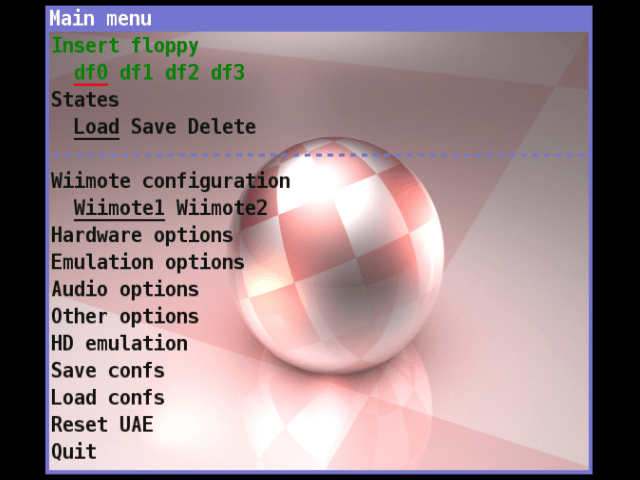
Home - Enter menu
Plus - Enter graphic visual keyboard
Menu:
D-Pad or Nunchuck - Move up/down/left/right in the menu
Plus/Minus - Move one page down/up in the menu
2/A - Select current entry
1 - Exit from menu
Classic Controller
Emulation:
D-Pad or Left/Right Control Stick - Joystick direction
A - Fire button
B/X/Y/Minus/L/R/ZR/ZL - Configurable for keypresses in the menu
Home - Enter menu
Plus - Enter graphic visual keyboard
Menu:
D-Pad - Move up/down/left/right in the menu
Plus/Minus - Move one page down/up in the menu
A/X - Select current entry
B/Y - Esc Exit from menu
GameCube Controller
Emulation:
Control Stick - Joystick direction
A - Fire button
Start - Enter menu
Menu:
Control Stick - Move up/down/left/right in the menu
R/Z - Move one page down/up in the menu
A/Y - Select current entry
X - Esc Exit from menu
USB Keyboard
Emulation:
F12 - Enter menu
Menu:
Up/Down/Left/Right - Move up/down/left/right in the menu
Pgup/Pgdown - Move one page down/up in the menu
Enter - Select current entry
Esc - Exit from menu
Screenshots
Media
UAE Wii - Amiga Emulator Wii (Ruff 'n' Tumble) (Sin SINista)
Changelog
Version 12
- Added background image in the GUI.
- Added sound in the GUI.
- Horizontally scrolling menu.
- More readable fonts in the GUI.
- Added autofire (configurable from virtual Keyboard).
- Added vsync option.
- Moved Rumble option in wiimote menu.
- Changed the refresh rate option.
- Shorter bootstrap.
- Fixed file attributes in virtual filesystem emulation.
- Other bug fixes.
Version 11
- Update to E-UAE 0.8.29 (more compatibility).
- Added 320X240 resolution (more emulation speed).
- Added hardfile and Virtual File System support in the GUI.
- Amiga colors for GUI, added borders to the windows.
- Set sound frequency to 48k.
- Small bug fixes.
Version 10
- Added Gamecube controller support.
- Added graphic virtual keyboard with IR Wiimote pointer called by "+" button .
- Added Wiiflow support.
- Added new menus to save and load 5 configuration files.
- Added audio menu with new options.
- Path of last selected file remembered in the menu.
- Added Picasso96 memory configuration.
- Added number of floppies configuration.
- Added refresh rate option.
- Added blitter exact cycle option.
- Added 24/32 bit cpu address space option.
- Chip memory up to 8MB.
- Consistency check of configuration options with gui messages.
- Automatic reset emulator after memory or kickrom change.
- Removed noise entering the GUI.
- Fixed bug in blitter exact and adreess space configuration.
- Fixed bug in sound floppy configuration.
- Fixed bug in page up/down.
- Patch to increase rendering speed in double buffer mode.
- Case insensitive file order in the file menu.
Version 9.1
- Compiled against libogc 1.8.11 and SDL-Wii r101.
- Fixed full resolution in 576i video mode.
Version 9
- Added dms and zip support.
- Added drive sound.
- (build) Compiled against libogc 1.8.9.
Version 8
- Added rumble support.
- Added configurable aspect ratio.
- Reduced font size of list file menu.
- Utf8 font support
Version 7
- Fixed Hardfile and virtual filesystem support.
- Added virtual keyboard.
- Added several menu options (immediate blits, collision level, real CPU speed, scanlines, ntsc and sound).
- Menu reorganization.
- Other small improvements.
Version 6
- Added SMB support.
- Added USB FAT mass storage support.
- Many menu improvements (new colors, new popup messages, browsing with nunchuk, wider screen, etc.)
- Added nunchuck menu browsing.
- Configuration file saved manually.
- Several improvements in input configuration menu (single wiimote configurations, snd and trd button joystick, enable/disable mouse emulation, etc.)
- Name of the loaded file in the menu header.
- Added logfile option.
- Fixed correct aspect option (to adapt the Amiga screen to Wii screen).
- Fixed mouse jerkiness.
- Fixed second Joystick configuration issue.
- Other small fixes.
Version 5.1
- (Binary) Rebuild against the latest devkitPPC (r24), libogc (1.8.7) and SDL (restores keyboard support).
Version 5
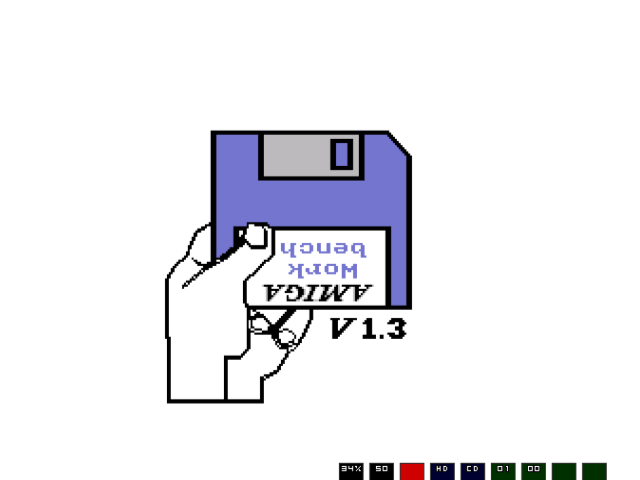
- Fix the workbench graphics issue.
- (Binary) Rebuild against the latest devkitPPC, libogc and SDL (fixes some SD corruption issues caused by the old libfat).
Version 4
- Support for the Mario Kart wheel in games where it makes sense to use it (stunt car racer!)
- (Binary) Rebuild against the latest devkitPPC, libogc and SDL.
Version 3
- Correct banner showing errors. With this fix, a dialogue box is now opened if kick.rom is missing.
- Support Cloanto's amiga forever ROMs in the default config.
Version 2
- Allow configuring most important options from the menu (Amiga models etc).
- Fix Nunchuk/Classic controller conflict.
- Add virtual keyboard to set keyboard-to-controller-button bindings
- Store configuration when modified in the menu and allow "uaerc.user" to override the configuration.
- Saving and restoring states now work.
- Harddisk support is now built in, but works so-so (and has no menu support).
- Hundreds of small fixes here and there.
Version 1
- Initial release.
- This version has only received light testing and there will be bugs.
- Graphics look bad in Workbench, but hey - who cares about that?
- There is a menu, but few menu options actually work. Patches are welcome!
Credits
Thanks to:
- The upstream developers who did more than 99.995% of the work.
- Christopher Follett from the PSPUAE project who has implemented a large chunk of the Amiga setup code and made various other improvements.
- Tantric for the various improvements of SDL without which this would have been impossible.
- Knitax for various suggestions on the code and the icon.
- Indigo69 for the background image of the menu.
External links
- WiiBrew - https://wiibrew.org/wiki/UAE_Wii
- GitHub - https://github.com/Oibaf66/uae-wii
- Google Code - https://code.google.com/archive/p/uae-wii/
- Gbatemp (UAE-Wii Tiny Launcher) - https://gbatemp.net/threads/uae-wii-tiny-launcher.642011/